Let's get youunstuck.
Most questions about Kitio have a written answer below. If yours does not, one address reaches us directly — no ticket number, no account required.
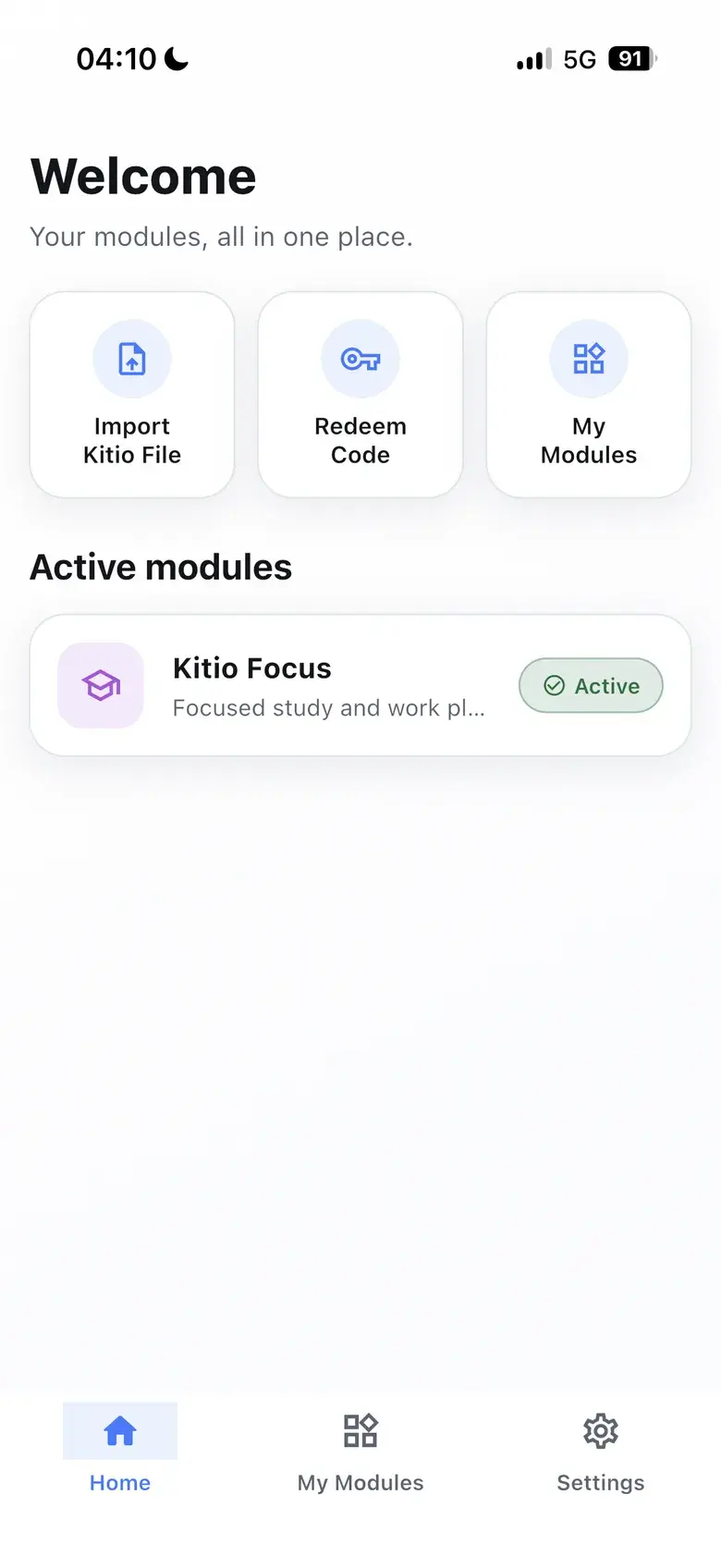
Redeem · Import · My modules
Direct line — support@kitioapp.com
Four things people ask us to do.
- 01
Activate a module
Open Kitio, choose Redeem Code on the home screen, and enter the code exactly as issued. No account is needed.
- 02
Import a .kitio file
Choose Import Kitio File from the home screen and pick the file. Kitio verifies its contents and licence before the module unlocks.
- 03
Back up Kitio Focus
Settings inside Kitio Focus → Backup & Restore. Backups are manual and encrypted with a password Kitio never stores.
- 04
Clear your local data
Settings → Data and Storage inside the app clears everything held on the device.
The questions that come up most.
No. Kitio works without an account and never asks for your name or email to function. On first launch it creates an anonymous identifier so that unlocked modules can be restored, and that identifier is not linked to any personal detail.
Two ways. You can redeem a code from the home screen, or import a .kitio file. Both paths unlock a module that is already part of the app; neither requires signing in.
A .kitio file is data only. It carries content, licence metadata and configuration — never source code, bytecode, plugins or anything executed at runtime. Each file inside the package is declared with an expected SHA-256 hash and a whitelisted type, and the import is rejected outright if anything does not match.
Modules you unlock, content you import and your redeemed-code history are stored on your device. Activation records are kept on the server against your anonymous identifier so your modules can be restored.
Yes. Backups are manual and encrypted. Kitio writes a single file and you choose where it goes — nothing is uploaded to a cloud on its own. You pick the password and Kitio never stores it, so it cannot be recovered if you forget it.
Kitio Focus is the module with a full working experience today. Diet, Monthly Budget Planner, Fitness and Crochet Tracker appear in the catalogue as modules you can activate with a code or a .kitio file.
No. There is no advertising, no advertising identifier, no cross-app tracking, and this version carries no analytics or crash reporting.
Local data can be cleared any time from Settings → Data and Storage inside the app. For server-side records tied to your anonymous identifier, write to support@kitioapp.com.
Still stuck? Write to us.
One address handles everything — activations, bugs, and requests about the records tied to your anonymous identifier.
support@kitioapp.com- Provider
- Catkaya Software
- Legal entity
- CATKAYA LIMITED
- Product
- Kitio